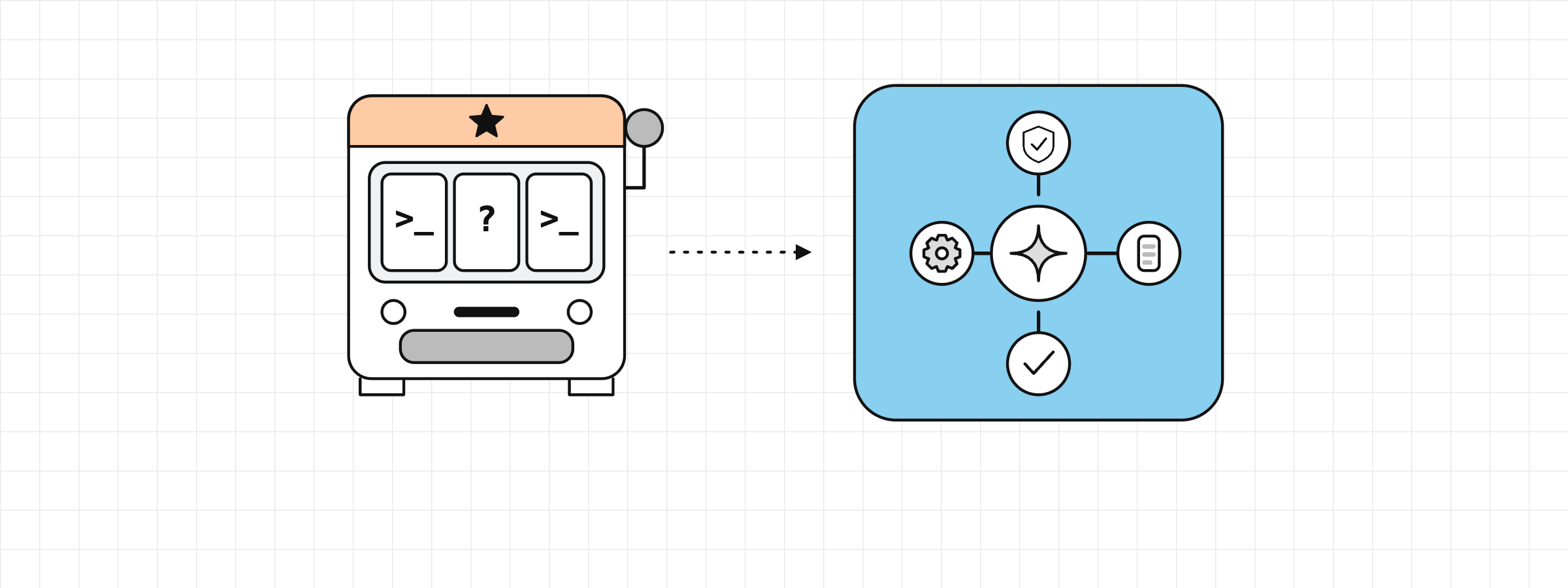
In 2026, 73% of developers who use a coding assistant or agent use it every day. A third of daily users spend four hours or more on it. In the browser, in a CLI, in the IDE or through an API, there are many ways to use an LLM for programming. But how do you integrate AI into your environment without just spamming prompts and crossing your fingers, as if you were at a slot machine?
Spoiler: the answer has less to do with the prompt than with the system you build around the model.
This series goes through what really matters for integrating AI into everyday work: context, harness, tools, MCP, skills, orchestration… Claude Code is the common thread for the examples, but the concepts hold for other agentic development tools (Codex, Windsurf, Cursor…).
It is for developers who have already used an AI chat or autocomplete and want to move to a reliable agent in their project. To stay concrete, the same ticket comes back in every article: adding pagination to the contact list in an iOS project. Each article illustrates one decision along the way, from the request to the PR.
Chat or agent?
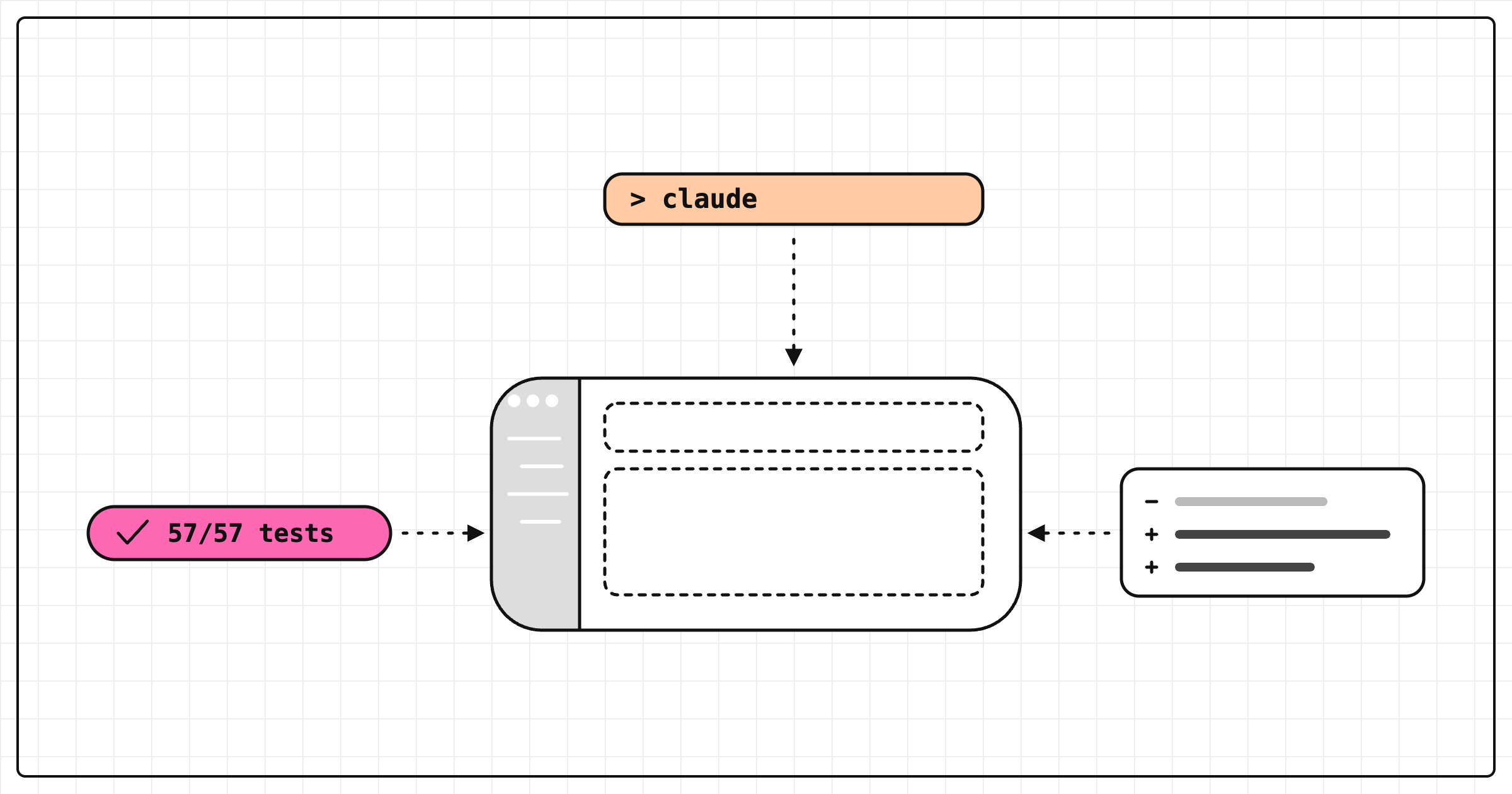
Unlike a chat, Claude Code works in the folder you launch it from. It reads and understands the code, edits files, runs commands and uses Git, directly in your repo.
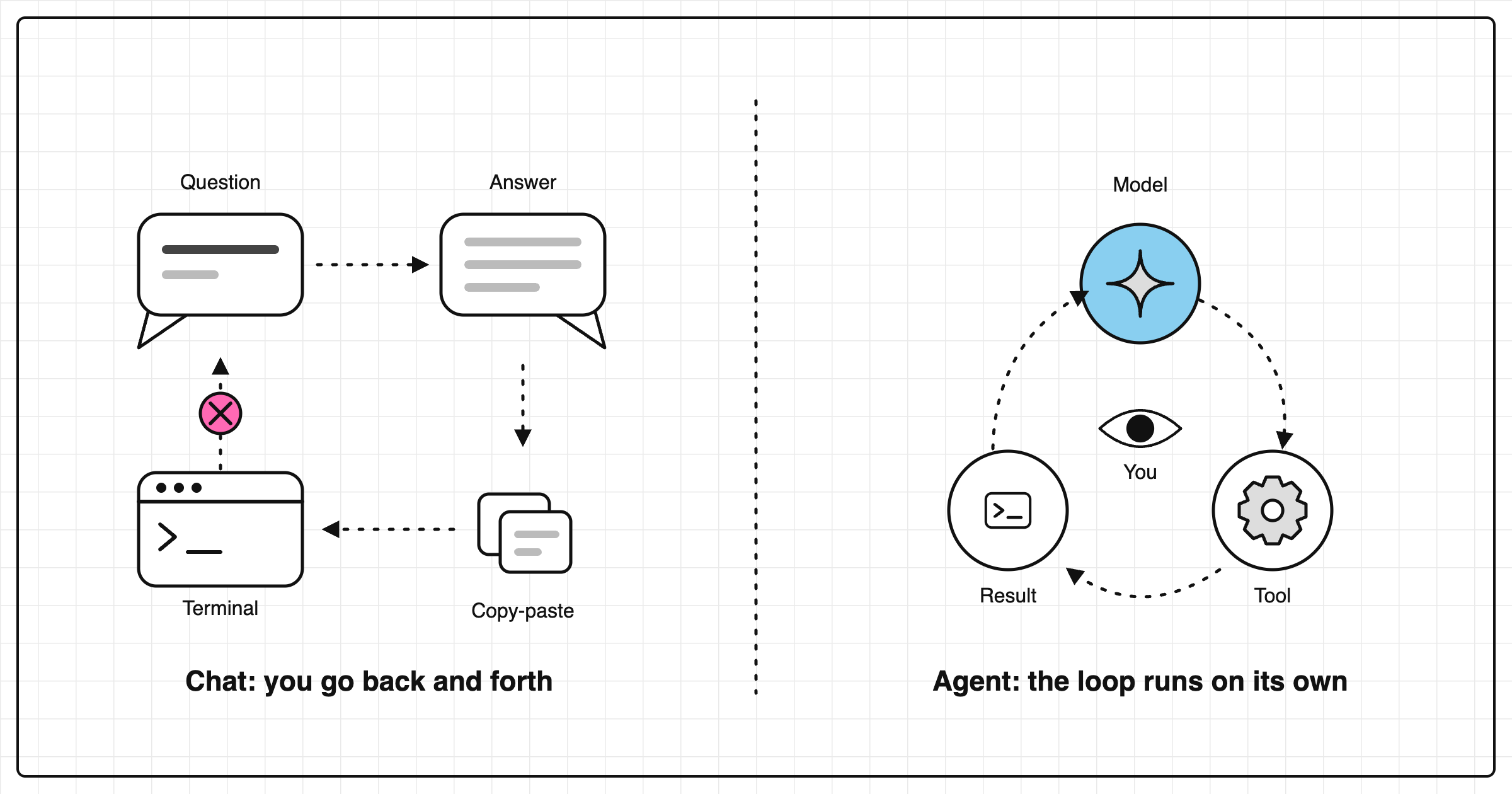
An agent is a model that uses tools in a loop (agent loop). After each action, it sees the real result (test output, error message, file contents) and uses it to decide what to do next. It runs the tests, reads the error, fixes, runs again.
With a chat, you are the one going back and forth between the discussion window and your terminal. Frankly, that gets old fast.
Anthropic distinguishes two approaches:
- the workflow: steps predefined in code guide the model, which fills in the blanks
- the agent: the model directs its own loop and chooses its actions.
Their rule: the simplest solution first. Complexity only when the task requires it. Claude Code is an agent, but not everything should go through it. A repetitive, predictable task (lint, formatting, deployment) is better served by a script or a CI job: faster, cheaper, fully reproducible. No point burning tokens when you can automate.
| Need | Right tool | Why |
|---|---|---|
| Understand a concept, write a message | Chat | No need to access the repo |
| Complete a line while you type | IDE autocomplete | Minimal latency, you stay in control |
| Multi-file task, tests to rerun | Agent | Action → real result loop |
| Repetitive, predictable task | Script or CI | Reproducible, free, fast |
| Agent task to automate (PR review, triage) | Non-interactive agent in CI | Same agent, without you in the loop |
An environment to work well
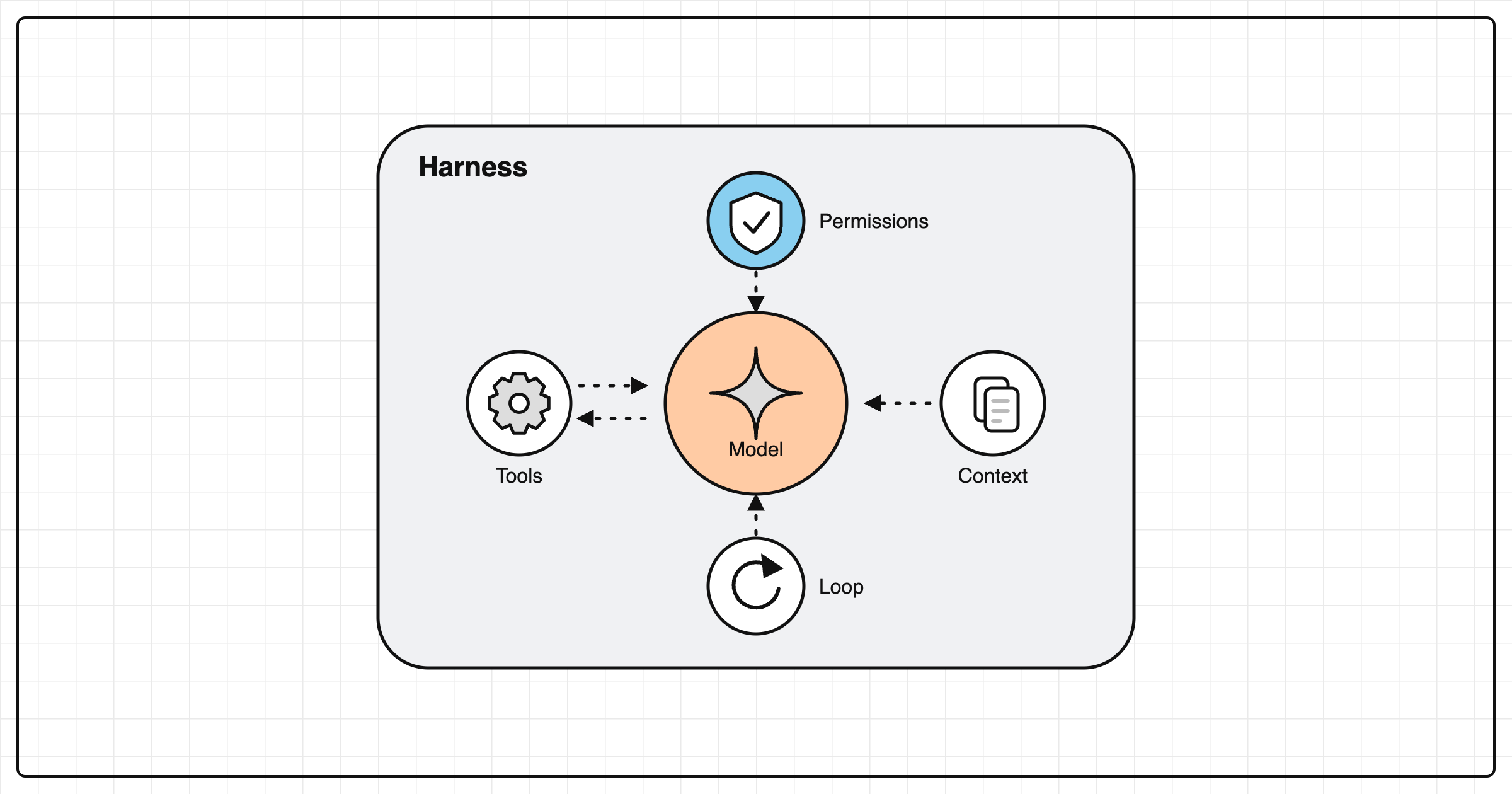
The model receives text and returns text. It reasons, but does not read your disk and does not run anything by itself… unless it is surrounded by tools.
Harness
It is all the software around the model: the loop that calls it, permissions, context management, stop conditions. When the model wants to read a file or run a command, all it can do is ask. The harness takes care of it.
Tools
These are the actions the agent can trigger: reading and writing files, running a command, searching the code, querying the web. Without them, you are left with a chat.
Context
What the model sees at each turn: your prompt, the history, the files read, command outputs, the CLAUDE.md. It is already partly filled before your first message. Poorly managed (too long, too vague…), it degrades quality, even with a good model.
The official docs talk about an agentic harness: Claude Code is the layer around the model, the one that provides the tools and manages the context.
The agent's scope of action
A direct consequence: the agent is never better than what it can observe and verify.
| What it covers | Limit | |
|---|---|---|
| What it knows | Languages, frameworks, common conventions (learned during training) | Frozen at a date: may not know your version of a library |
| What it can observe | Files, test output, Git history, web pages (through its tools) | Only what it goes looking for, and what the harness allows it to read |
| What it cannot know | Decisions made in meetings, unwritten business constraints, real behavior in production | Nothing, unless you write it somewhere it will read it |
A good part of the integration work is moving things from the third row to the second.
A typical session: adding pagination
The ticket: add pagination to the contact list.
With a vague prompt like "add pagination to the contact list", the agent has to guess everything. Which list? How many items per page? Which response format? Which architecture to respect? Only the UI, or the whole pipeline down to the API and the tests? It explores widely, touches unrelated files and stops when the code looks right.
A more precise prompt changes the game:
Add pagination to the contact list in
ContactsViewModel.
20 contacts per page, next page loaded as the list scrolls
pageparameter onGET /contacts(starting at 1, default 1)JSON response, for example (
total= total number of contacts, not pages):{ "items": [ { "id": 1, "name": "Alice Martin", "email": "alice.martin@example.com" }, { "id": 2, "name": "Bastien Roy", "email": "bastien.roy@example.com" } ], "page": 1, "pageSize": 20, "total": 57 }out-of-range page: empty list
network error or
400: error state exposed by the view model, the already loaded list stays displayedfollow the existing MVVM architecture and do not touch any other screen
The
ContactsViewModelTeststest must pass. Add the "empty page" and "network error" cases, then run the full suite (xcodebuild test).
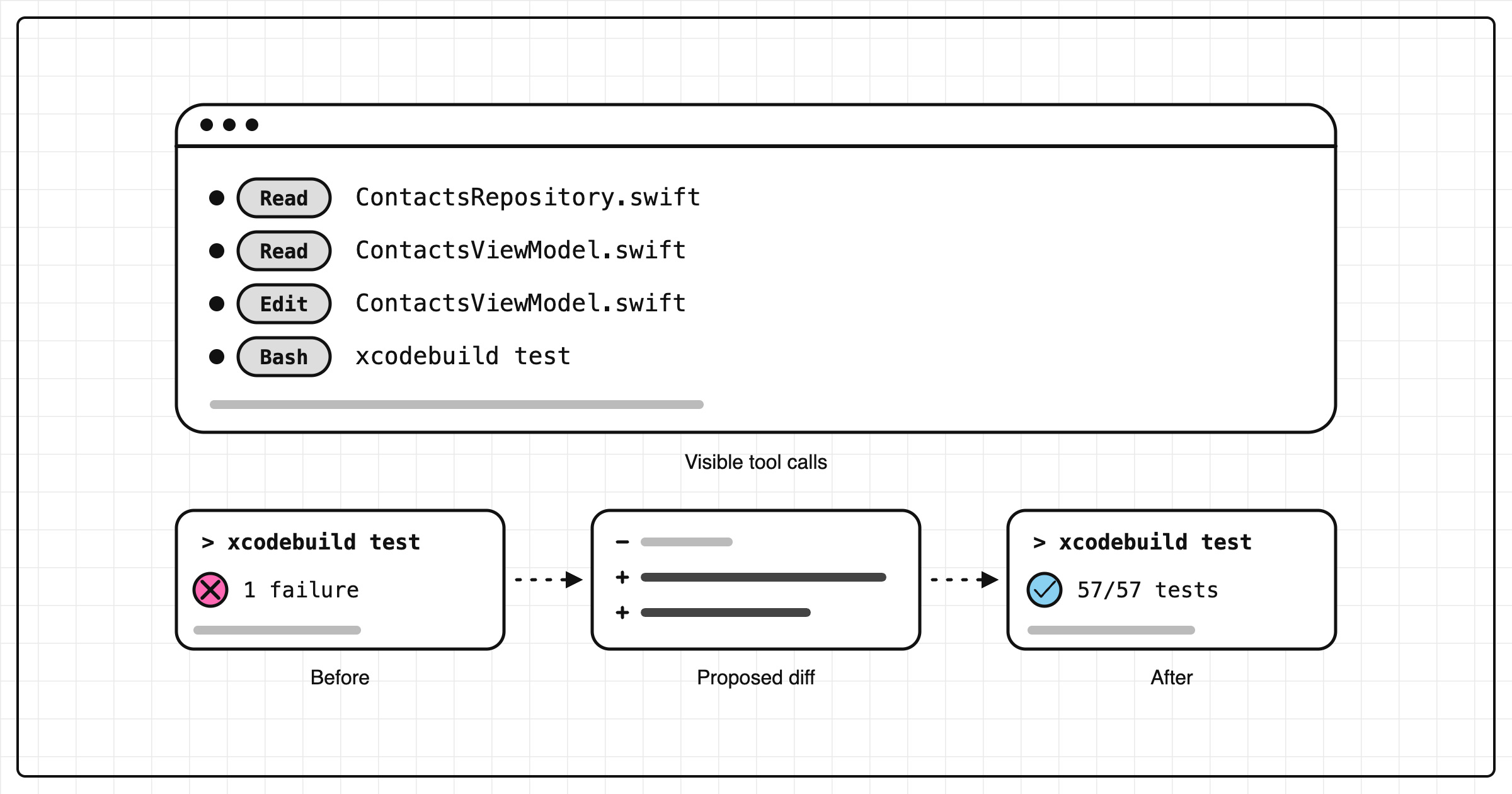
The session then looks like this. Each step is one turn of the agent's loop (observe → decide → act → verify):
- Observe: the agent reads
ContactsRepository, thenContactsViewModelwhich calls it. - Act / verify: it runs the test, which fails. The view model loads all 57 contacts at once. This real result tells it what to fix.
- Decide / act: it adds the limit and the page number in the view model. The harness shows you the diff and asks for your approval (depending on the permission mode).
- New turn: it reruns the test. Fails again: the
totalfield is missing. It adds it. - Stop condition: the test passes. It runs the full suite to check it broke nothing else, then stops and summarizes its changes.
With a chat, you would have copied and pasted each answer and adapted it to your project. Here, everything was developed directly in your files. You approved each change and reviewed the final diff.
The precise prompt gives the agent a success criterion it can check itself. So, a way to know when to stop.
What can go wrong
An agent is not magic. Some mistakes keep coming back:
- A diff can look right and be completely wrong: it compiles, the tests pass, but the behavior is not the expected one (especially if the tests do not cover the case).
- The agent can invent an API: a function or parameter that does not exist in your version of the library.
- The loop can go in circles: the same fix tried three times, with no new information.
- The scope can drift: a bugfix becomes a ten-file refactoring and your partner leaves you.
- It can announce "done" without any verification, yolo ✌️.
These mistakes have one thing in common: they go unnoticed when you trust the result without checking it. The studies point the same way. In the 2026 Stack Overflow survey, 87% of respondents give AI some form of trust, but only 48% when they can verify the result. And in METR's randomized trial, experienced developers took 19% longer with AI, while they felt they were 20% faster. A caveat: 16 developers, early-2025 tools, and METR has not managed to reliably redo the measurement since. Still, feeling faster proves nothing.
To dig deeper: my article on AI productivity in 2026.
Why the prompt is not enough
Back to the slot machine: the common reflex is "I need to rephrase my request better, I'll write a novel with every detail so nothing can go wrong". It helps a bit. But the problem is elsewhere.
If the harness is vague, if the tools are noisy or if the context overflows, the best prompt in the world will not save you from a diff that looks right and is wrong.
Two examples. Anthropic compared, on the same model (Claude Opus 4.5) and the same request (a 2D retro game editor), a lone agent and a full harness. The lone agent: 20 minutes, $9, a game whose entities display but react to nothing. The full harness: 6 hours, $200, a playable game. More than twenty times the cost, but the quality difference is obvious.
On the team side, DORA research describes AI as an amplifier: it strengthens already high-performing organizations and worsens the dysfunctions of the others. The ones who get the most out of it are the ones who reworked their organization around the tool.
Anthropic draws a rule from this: each component of a harness encodes an assumption about what the model cannot do on its own. These assumptions go stale as models improve. They need to be retested with every new model. Anthropic even provides a command for it: it updates the code and config for a new model, and flags the prompts to revisit.
Keeping control first
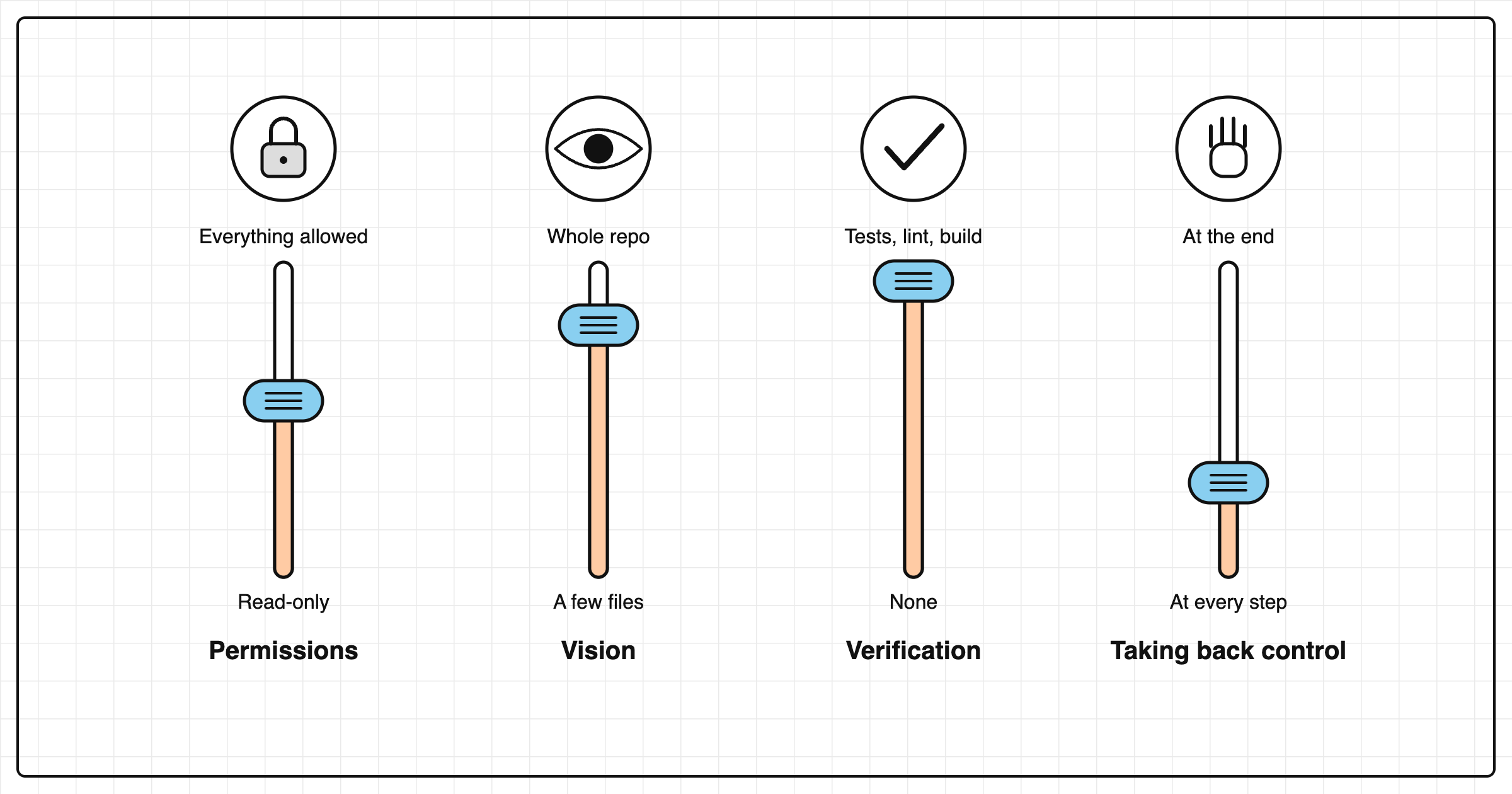
Integrating an agent means deciding four things:
- What it is allowed to do → permissions (set by the harness): edit files, install a dependency,
git push, deploy. - What it sees → the context.
- How it verifies its work → tests, lint, build. An agent that cannot verify its success does not know when to stop.
- The moment it hands control back → the stop conditions.
On permissions, Claude Code offers several modes, from the most cautious (you approve every change) to the most autonomous (it acts alone, supervised by a second model), plus a read-only plan mode, perfect for exploring how to implement a feature. The mode with no permission checks exists too: reserve it for an isolated container. Otherwise, don't bother posting on Reddit the day it finds your SSH keys. These settings are detailed in article 6.
And if the agent heads in the wrong direction, you can go back to a checkpoint. Only its file edits are undone: a command like rm stays executed. So keep Git as a safety net; we come back to it in article 4.
Questions for your project
- Which checks can your agent run on its own today (tests, lint, build)? Which ones are missing?
- What important information about your project exists only in your head or in a meeting?
- On the last task you gave to an AI, how many round trips did you make yourself between the chat and the terminal?
Key takeaways
- An agent is a model that uses tools in a loop and relies on the real result of each action to decide what to do next.
- Reliability depends mostly on the system around the model (harness, tools, context), not on the prompt.
- Give it a success criterion it can test itself. Otherwise it will not know when to stop.
Next
What fills your context window, and why answer quality drops over the course of a session.
Sources
- Stack Overflow, "2026 Developer Survey" (October 2026) · survey.stackoverflow.co/2026
- Anthropic, "Building effective agents" (December 2024) · anthropic.com/research/building-effective-agents
- Claude Code documentation, "How Claude Code works" · code.claude.com/docs/en/how-claude-code-works
- METR, "Measuring the Impact of Early-2025 AI on Experienced Open-Source Developer Productivity" (July 2025) · metr.org; "We are Changing our Developer Productivity Experiment Design" (February 24, 2026) · metr.org
- Anthropic, "Harness design for long-running application development" (March 24, 2026) · anthropic.com/research/harness-design-long-running-apps
- DORA, "State of AI-assisted Software Development 2025" (2025) · dora.dev/research/2025/dora-report
Some parts of this article were written with the help of AI.